
Over the past three weeks, I’ve been working on creating my own digital reading journal using Notion. What started as a basic database for tracking books has turned into a fully designed journal with reading challenges, monthly recaps, reading statistics, and a personalized bookshelf. This week was all about bringing everything together, making final improvements, and preparing the journal for other readers to use.
Turning Feedback Into Improvements
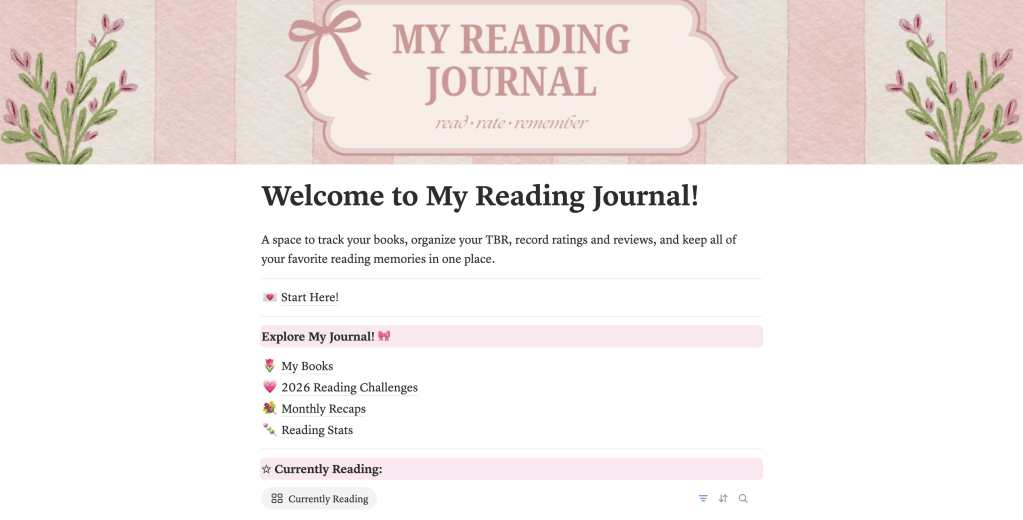
One of my biggest priorities this week was applying the feedback I received during the previous development phase. My mom thought the journal was organized but felt that it needed more color and a clearer layout. Looking back at my original design, I could definitely see what she meant. Although everything worked, some pages felt a little plain compared to the vision I originally had for the product.
The Interaction Design Foundation’s article, Test Your Prototypes: How to Gather Feedback and Maximize Learning, discusses how feedback can help designers identify areas for improvement and refine their prototypes. This connected directly to my experience because receiving another person’s perspective helped me recognize things I hadn’t noticed while building the journal myself.
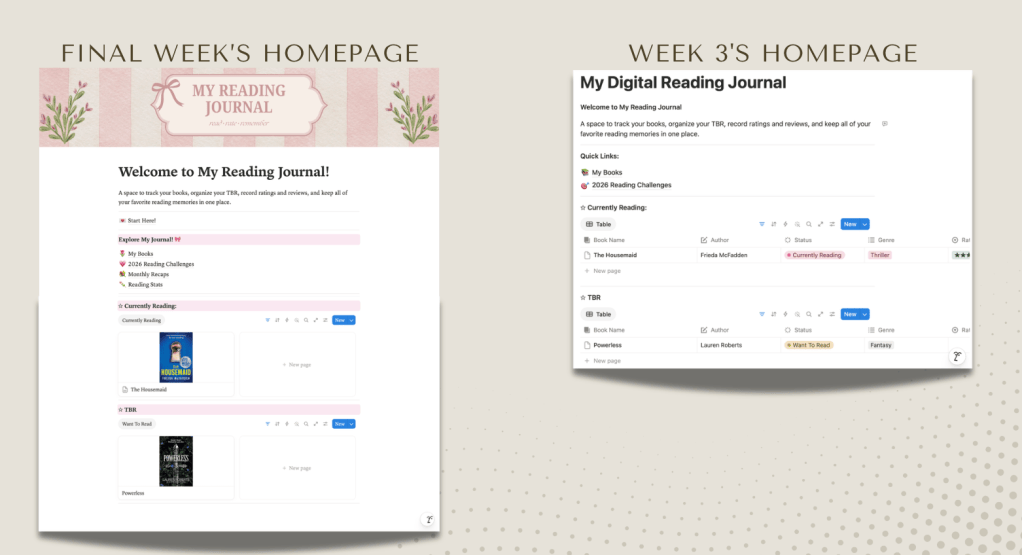
I spent this week creating matching Canva banners, adding pink accents and changing the typography to make everything feel more cohesive. I also reorganized the homepage so that the different sections were easier to find. I wanted the journal to feel like a digital scrapbook rather than just another spreadsheet.
Finding the Balance Between Design and Functionality
One thing I learned throughout this project is that making something aesthetically pleasing doesn’t automatically make it easy to use. I wanted to incorporate more personality into my journal, but I also had to make sure that the design changes didn’t interfere with its functionality.
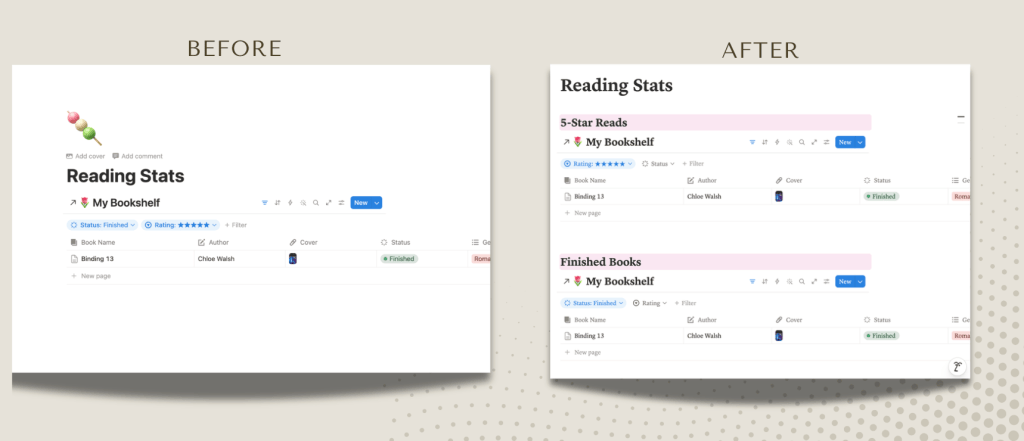
This was especially challenging when I worked on the Reading Stats page. Since multiple sections were connected to the same Notion database, I had to figure out how to organize different views without accidentally changing other parts of the journal. After some trial and error, I used separate headings, filters, and database calculations to create a clearer layout.
This reminded me of the importance of iterative design. In Parallel & Iterative Design + Competitive Testing = High Usability, the Nielsen Norman Group explains how designers can improve usability by testing and refining different versions of a product. Rather than starting over when I encountered problems, I continued making smaller adjustments to improve what I had already built.
Preparing My Journal for Other Readers
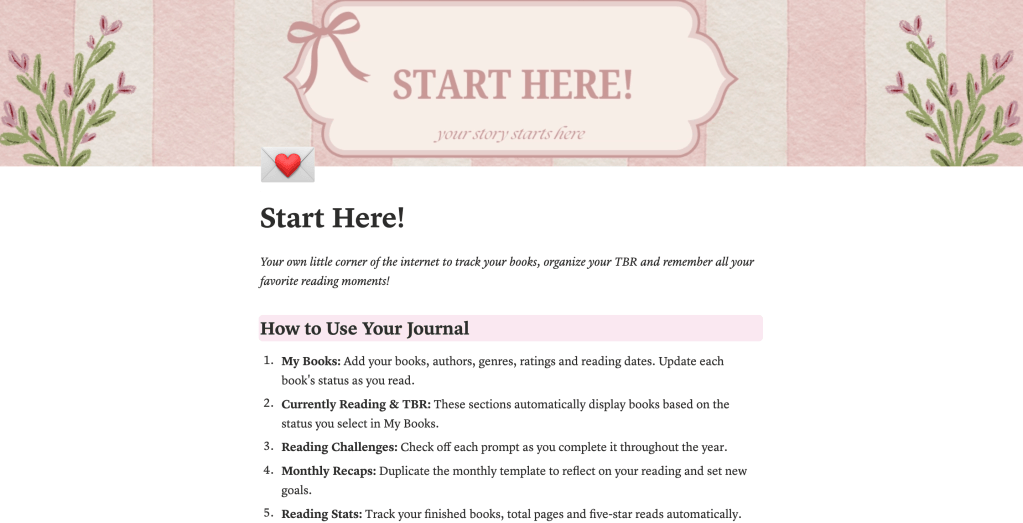
Another major addition this week was my Start Here page. Since I’ve spent so much time working on the journal, I already know where everything is and how each feature works. However, I realized that someone opening it for the first time might not have the same understanding.
I created a page explaining how to add books, update reading statuses, complete reading challenges, use monthly recaps, and track reading statistics. I also linked it directly from the homepage so new users can find it without having to search through the journal.
As I prepared the final product, I also explored Notion’s guide to publishing pages on the web. Notion allows creators to publish their pages and enable duplication so other people can add a copy to their own workspace. This is particularly useful for my project because I want readers to be able to personalize the journal with their own books, ratings, and reading goals.
Looking Back at the Development Process
Comparing my first version of the journal to the finished product is probably one of my favorite parts of this project. When I started, I was mainly concerned with getting the database and its features to work. Now, I have a much better understanding of how design, usability, and feedback all contribute to the overall experience.
I’m happy with how the journal turned out because it combines two of my interests, which are reading and design. Moving forward, I’d love to have more readers test it, explore additional customization options, and potentially create seasonal layouts or new reading challenges.
This project taught me that developing a digital product isn’t just about having an idea and building it. It’s about being willing to make changes, solve unexpected problems, and think about the people who will eventually use what you’ve created.
Visit my newly finished Reading Journal here: https://spark-icon-0b7.notion.site/Welcome-to-My-Reading-Journal-3dad28c785ee805a8829c35199f57d5b
Citations
Dam, R. F., & Teo, Y. S. (2023, August 31). Test your prototypes: How to gather feedback and maximize learning. Interaction Design Foundation. https://ixdf.org/literature/article/test-your-prototypes-how-to-gather-feedback-and-maximise-learning
Nielsen, J. (2011, January 17). Parallel & iterative design + competitive testing = high usability. Nielsen Norman Group. https://www.nngroup.com/articles/parallel-and-iterative-design/2011/
Notion. (n.d.). Publish a Notion Site. Notion Help Center. https://www.notion.com/help/public-pages-and-web-publishing


Leave a comment